readEML - EML Reader & Viewer
Open saved email files on iPhone & iPad
For anyone who needs to read .eml files and import mailboxes — privately, on your device.
readEML is for anyone who needs to open saved email files on iPhone or iPad — without sending them to a website or signing up for an account.
No ratings yetScreenshots
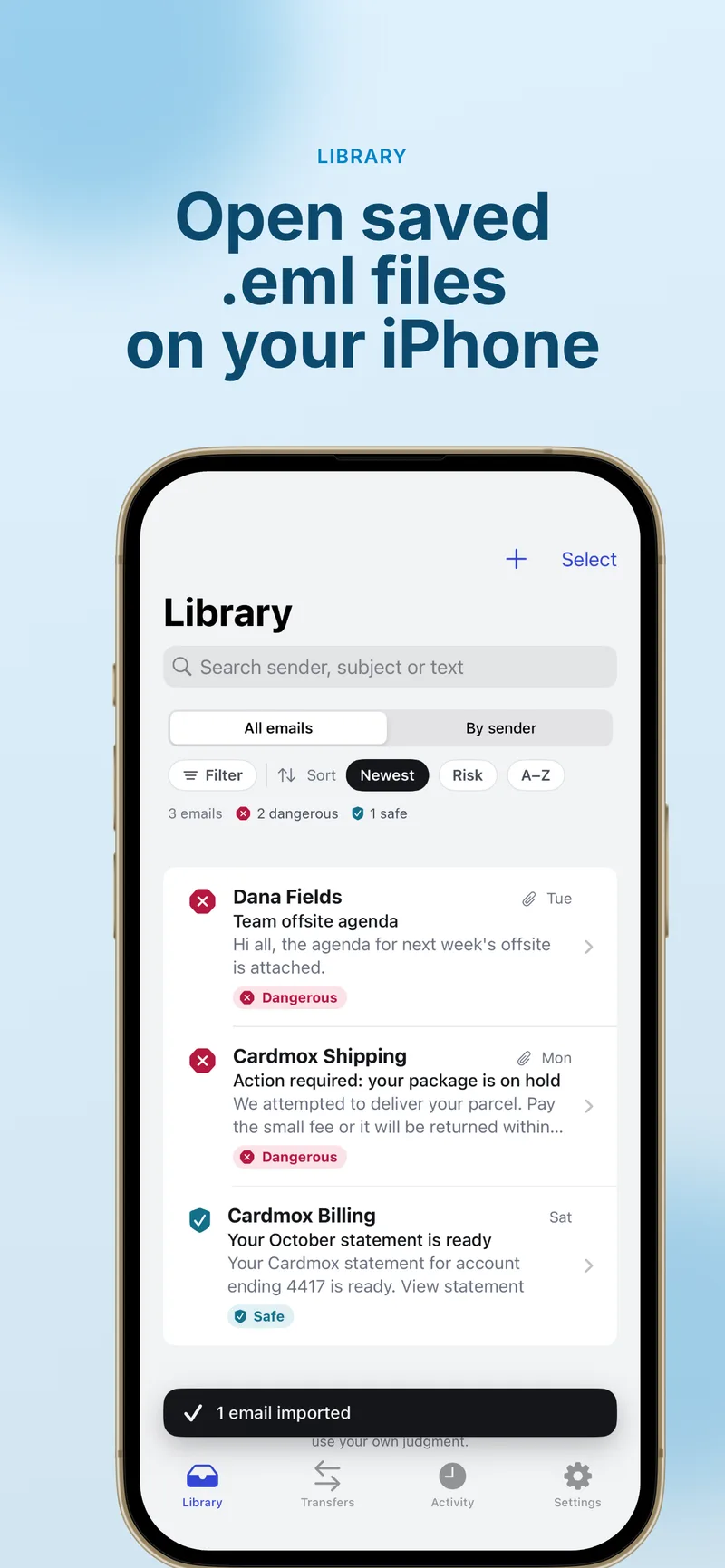
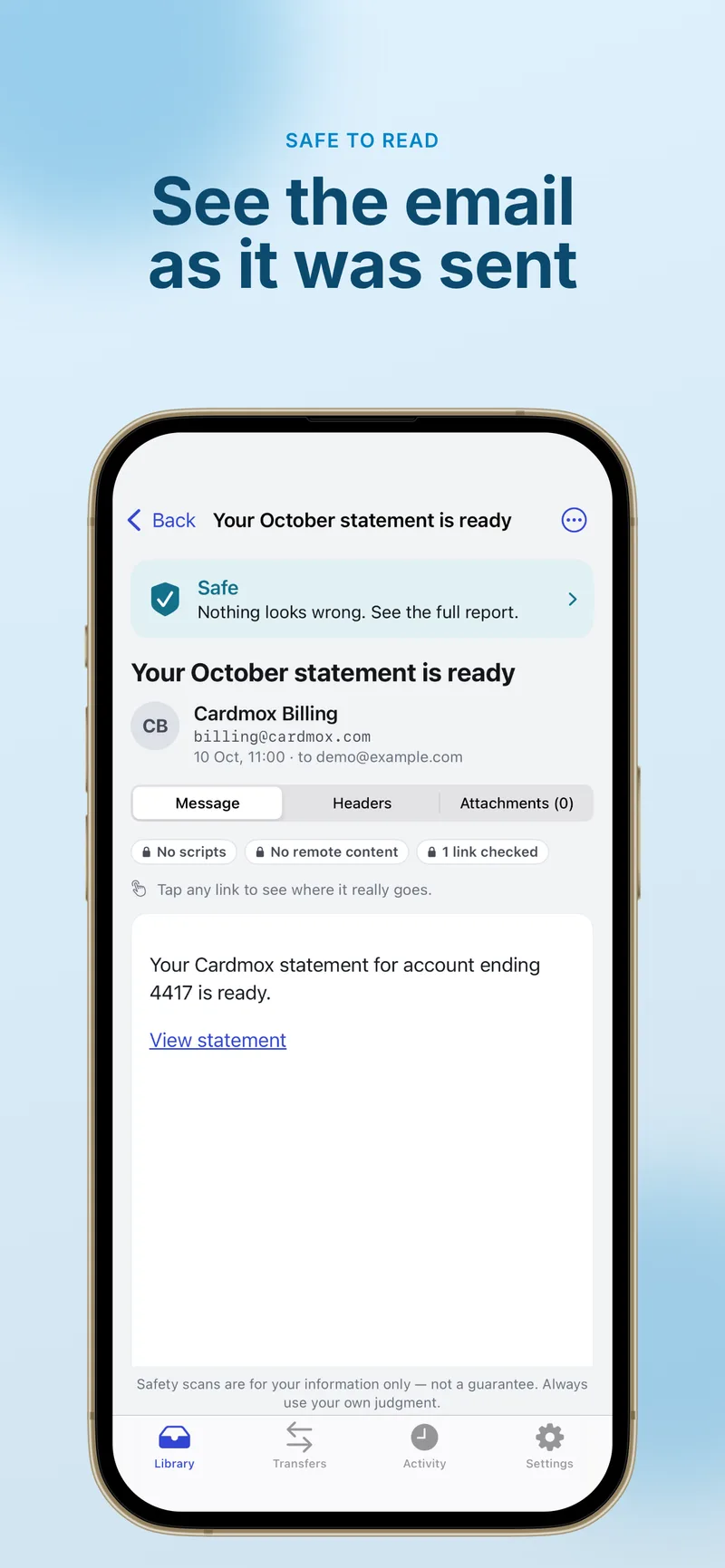
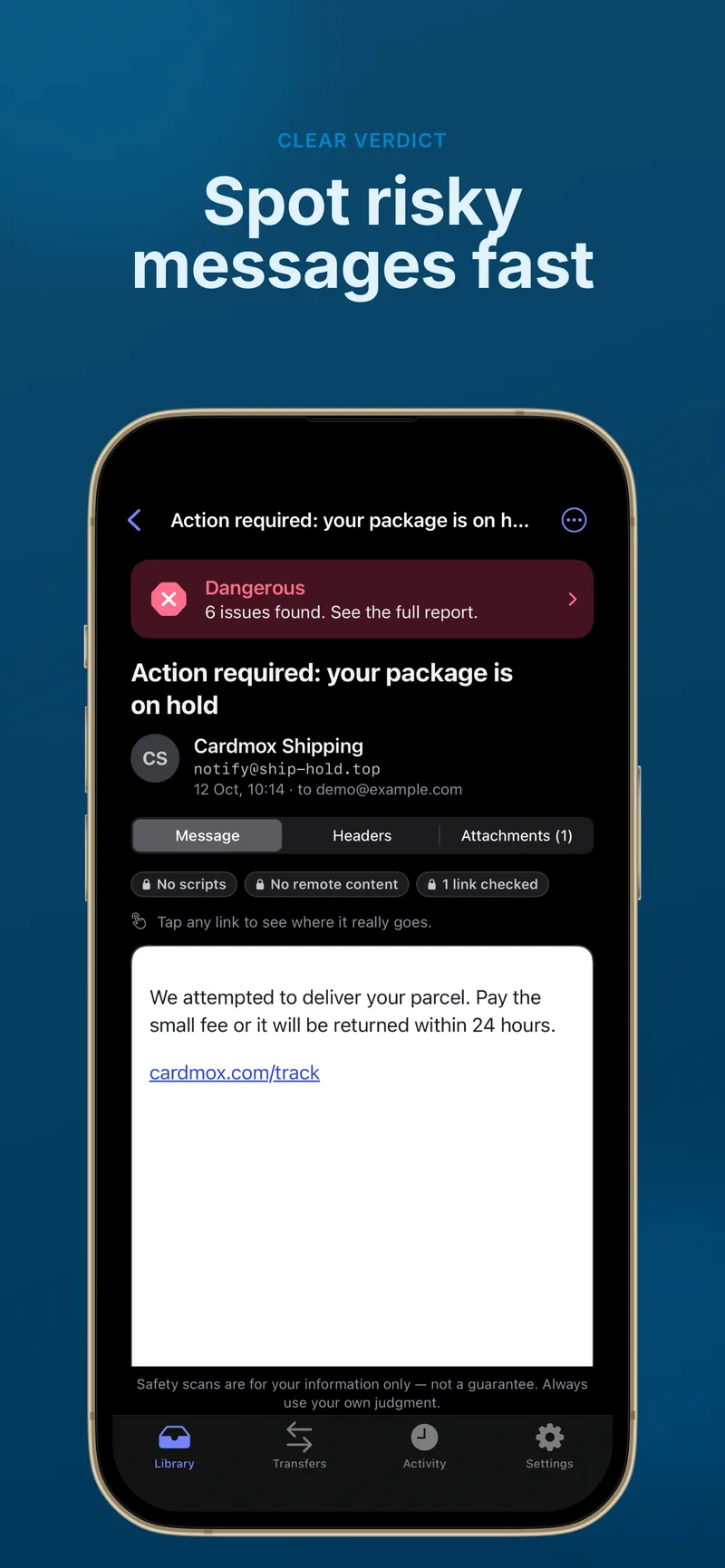
What it does
Open saved email files, import mailboxes, and get an on-device safety scan — without sending your mail to a website or signing up for an account.
.eml viewer
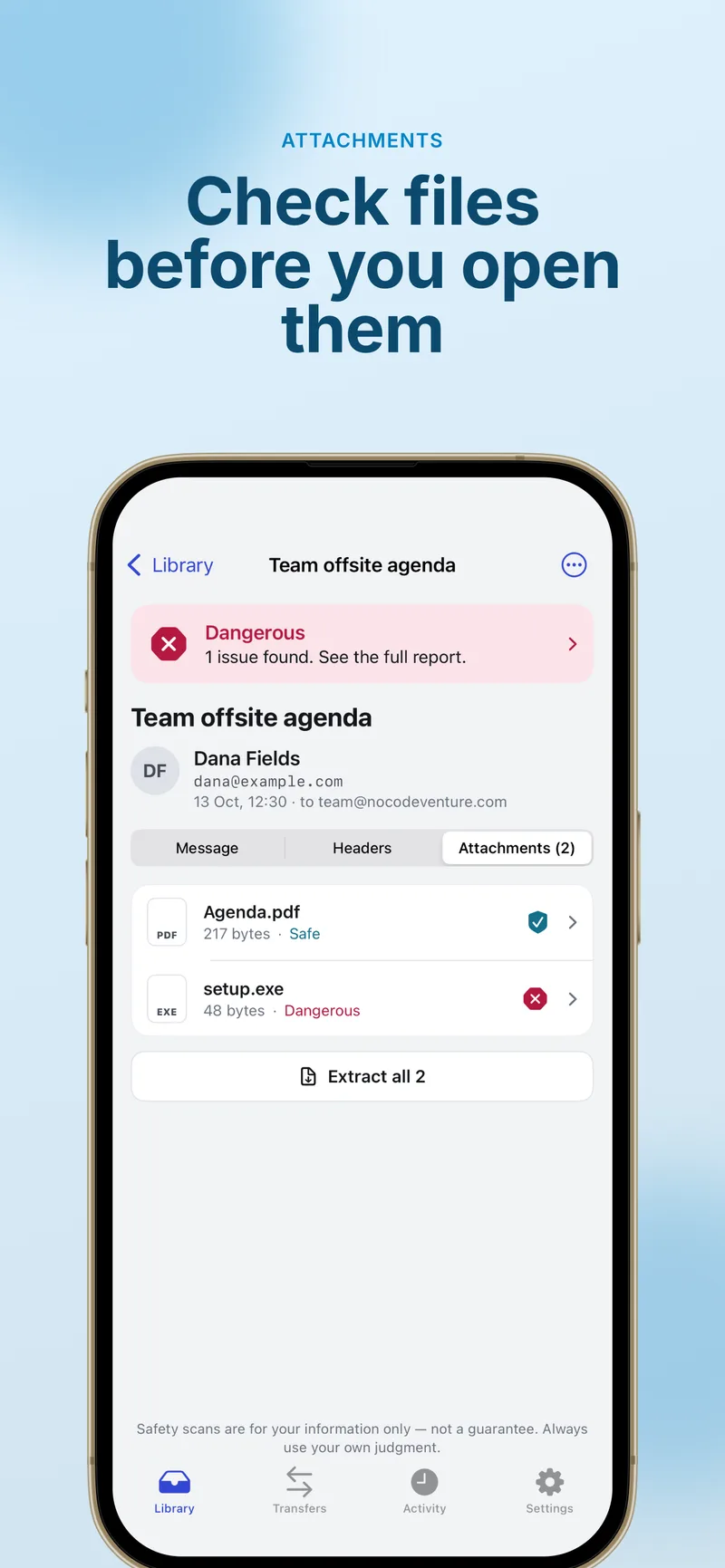
Open saved email files and read the message, full headers, and attachments in a clean layout.
.mbox mailboxes
Import whole mailboxes as .mbox files using Transfers — keep archives on your device.
On-device safety scan
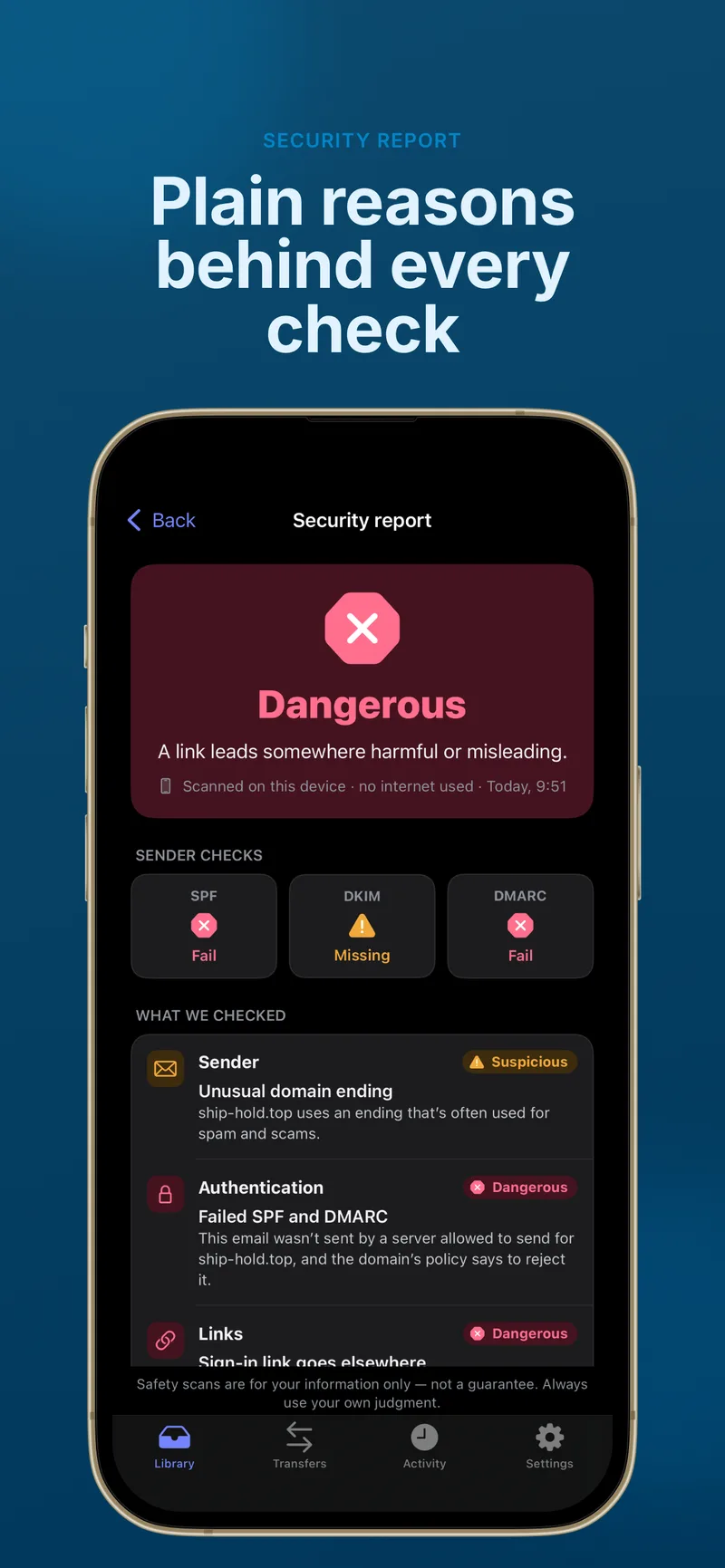
Each message gets a simple verdict — Safe, Suspicious, or Dangerous — with short reasons.
Authentication & sender checks
Review who the message claims to be from plus SPF, DKIM, and DMARC results when present in headers.
Links, attachments & wording
On-device analysis of links, attachments, and common phishing-style patterns in the body.
Safer reading defaults
Remote images and JavaScript in the viewer are blocked by default so messages are easier to read safely.
Features
Private & offline
No account required. Your emails are not uploaded to us for scanning — everything runs on your device.
Import from Files or Share
Tap Import in the Library tab, or use Share / Open in readEML from Mail and the Files app.
Safety scan helper
A quick on-device verdict with reasons — not antivirus and not a guarantee; use your own judgment.
Apple Intelligence (optional)
On supported devices, an optional free language check analyses wording for pressure and phishing tactics — fully on-device.
readEML Pro
Yearly or lifetime unlock adds detailed explanations, exports (PDF, HTML, .eml, .mbox), and save-all attachments.
Free to open & scan
Opening emails and getting a basic safety scan verdict stays free; Pro is optional.
Supported formats
Built for saved email files and mailbox archives you already have on iPhone or iPad — processed entirely on your device.
Single messages
.emlShare sheetOpen in readEML
Mailboxes
.mboxTransfers import
About readEML - EML Reader & Viewer
What's New
• Open .eml files in a clean viewer with headers and attachments • Import .mbox mailboxes via Transfers • On-device safety scan with Safe, Suspicious, or Dangerous verdicts • Optional Apple Intelligence language check on supported devices • readEML Pro: detailed check explanations, exports, and bulk attachment save
Version 1.0
FAQ
Does readEML upload my email to your servers?
No. Everything happens on your device. readEML does not require an account, and your messages are not uploaded to us for scanning. Link checks use on-device analysis.
How do I open an .eml file on iPhone?
Tap Import in the Library tab and pick .eml files from the Files app, or from Mail or Files use Share or Open in readEML on an attachment. Use Transfers for .mbox imports.
What does the safety scan do?
readEML runs an on-device check on each message you open and shows Safe, Suspicious, or Dangerous with short reasons — covering sender claims, SPF/DKIM/DMARC when present, links, attachments, and wording patterns. It is a helper only: not antivirus, does not watch your live inbox, and may miss risks or flag false positives.
What is the Apple Intelligence language check?
On compatible iPhone and iPad models with Apple Intelligence enabled in Settings, readEML can optionally analyse wording for pressure and phishing-style language using Apple Intelligence on your device. It is free, separate from readEML Pro, and can be turned off in readEML anytime. Other devices use built-in heuristics instead.
What is readEML Pro?
readEML Pro is an optional yearly subscription or lifetime unlock that adds detailed explanations for every check, exports (PDF, HTML, .eml, .mbox), saving all attachments at once, and related features. Basic viewing and safety verdicts stay free.
How do readEML Pro subscriptions work?
Payment is charged to your Apple Account when you confirm purchase. The subscription renews automatically unless you cancel at least 24 hours before the end of the current period. Manage or cancel in Settings › Apple Account › Subscriptions. Price and duration are shown in the app before you buy.
Open .eml files on your iPhone or iPad
Download readEML free on the App Store. Opening messages and a basic safety scan stay free — readEML Pro adds detailed explanations, exports, and more when you need them.